
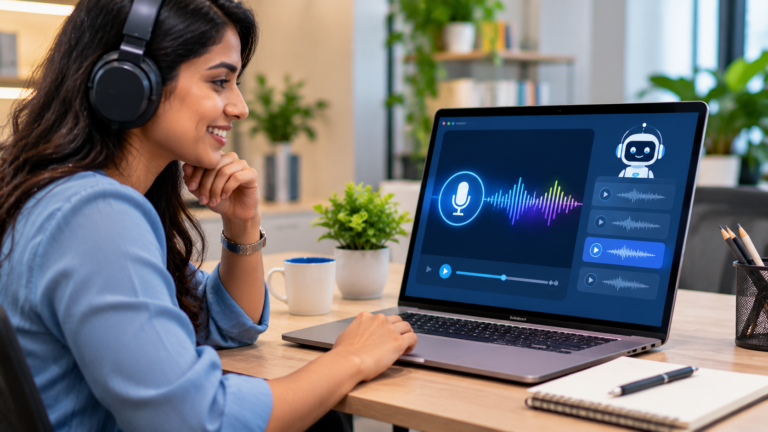
Your compliance course is ready, but the studio slot for voice recording is three weeks away. Then the policy changes, and two slides need new audio. This is why so many L&D teams are now trying AI voiceover for eLearning. It is fast, easy to update and multilingual. Yet a flat, mispronounced or oddly paced voice can make a good course feel careless within the first minute.
The voice is the part of a course learners notice before anything else. If it sounds wrong, they stop trusting the content. This blog covers why AI narration often falls short, seven practical steps to make it sound natural, the mistakes to avoid, and how to check whether it is working.
What This Blog Covers
- Why AI narration often sounds wrong
- Seven steps to natural AI voiceover
- Mistakes to avoid
- How to measure results
- FAQs
- Final thoughts
Why AI Narration Often Sounds Wrong
- Scripts are written for reading, not listening. Long sentences with brackets and abbreviations sound awkward when spoken by any voice.
- On-screen text is read word for word. Learners hear and read the same sentence at once, which feels slow and repetitive.
- Names and terms are mispronounced. Product names, acronyms like KYC or SOP, and Indian place names trip up default voices.
- One voice is used for everything. The same tone for a welcome message, a safety warning and a customer role-play makes all three feel flat.
- Nobody listens before launch. Teams review the script on paper and never hear the final audio end to end.
- Translation is done by the tool alone. Machine-translated scripts in Hindi, Marathi or Tamil can be grammatically right and still sound unnatural to a native listener.
Seven Steps to Natural AI Voiceover for eLearning
1. Decide Where AI Voice Fits and Where It Does Not
AI voice works well for content that changes often, such as policy updates, product features and system walkthroughs. It is less suited to emotionally sensitive content, such as POSH, grief or difficult conversations, where warmth and nuance matter most.
Example: A bank uses AI narration for its quarterly product update modules but keeps a professional voice artist for its leadership message on customer fairness.
Action step: List every module in your plan and tag each one “AI voice”, “human voice” or “no narration” before production starts.
2. Rewrite the Script for the Ear
Spoken scripts need short sentences, everyday words and one idea at a time. Spell out abbreviations the first time, and replace symbols like “%” or “&” with words.
Example: “Per SOP 4.2 (rev. Jan), escalate within 24 hrs” becomes “Under the escalation procedure, raise the issue with your manager within one working day.”
Action step: Read every script aloud once. Any sentence you have to read twice gets rewritten.
3. Build a Pronunciation List
Create a simple list of brand names, acronyms, regulator names and local terms, with how each should sound. Most AI voice tools let you set custom pronunciations or phonetic spellings.
Example: A pharma client’s list includes molecule names, “IRDAI” read as letters, and city names such as Thiruvananthapuram spelt phonetically.
Action step: Ask subject matter experts to record a quick voice note of tricky terms, and use it to build the list before you generate audio.
4. Match Voice and Pace to Purpose
Choose voices that suit your audience and adjust speed, pauses and emphasis. Add a short pause before a key rule. Slow down for steps learners will copy. Use two distinct voices in role-plays.
Example: In a customer service scenario, the agent and the customer have different voices, and the coach’s feedback uses a calmer, slower delivery.
Action step: Produce a 60-second sample in two or three voices and let a small group of real learners pick the one that feels most natural.
5. Localise with Native Reviewers, Not Just Tools
For Indian languages, translation is only half the job. A native reviewer should check that the script sounds like how people actually speak at work, including where English terms are normally used.
Example: A Hindi script for retail staff keeps words like “billing” and “stock” in English, because that is how store teams talk, instead of forcing formal Hindi equivalents.
Action step: Budget a native-language listening review for every localised version, not only a text review.
6. Set Clear Rules for Consent and Disclosure
If you clone a real person’s voice, such as a CEO or trainer, get written consent that states how and where it will be used. Tell learners when a voice is AI-generated if your organisation’s policy requires it. Treat voice recordings as personal data and handle them in line with the DPDP Act, 2023.
Example: A company records its head of safety once, gets signed consent for AI-generated updates to safety modules only, and adds a short note in the course credits.
Action step: Add a voice-use clause to your content governance checklist and confirm it with your legal or compliance team.
7. Run a Full Listening QA Before Launch
Play the whole course with audio on, on the devices learners use. Check sync with animations, volume levels, pronunciation and pauses. Fix issues in the script or settings and regenerate only what changed.
Example: A QA pass on mobile finds that narration on one screen ends before the animation does, leaving five seconds of silence. A small script change fixes it.
Action step: Add “full audio playthrough on mobile and desktop” as a mandatory step in your eLearning QA checklist.
Mistakes to Avoid
| Mistake | Why It Hurts | Better Approach |
| Pasting slide text straight into the tool | Sounds stiff and repeats what learners already read | Write a separate script for the ear |
| Using the default voice and speed | Feels robotic and rushed | Test voices and tune pace and pauses |
| Skipping native-language review | Localised audio sounds unnatural or wrong | Use native listeners for every language |
| Cloning a voice without written consent | Creates legal and trust risks | Get scoped, written consent first |
| Reviewing scripts only on paper | Audio errors reach learners | Do a full listening QA on real devices |
How to Measure Results
- Learner feedback on audio clarity and naturalness in post-course surveys
- Drop-off points in LMS data around narrated screens
- Number of audio-related defects found in QA and after launch
- Time and cost to update narration when content changes
- Completion and assessment scores compared with earlier versions of the same course
FAQs
-
Is AI voiceover for eLearning good enough to replace voice artists?
For many update-heavy and informational modules, yes. For emotionally sensitive or brand-defining content, a human voice is still the safer choice.
-
Can AI voices handle Indian languages well?
Quality varies by language and tool. Always test a sample and have a native speaker review the final audio before launch.
-
How do we fix mispronounced words?
Use the tool’s pronunciation or phonetic settings, guided by a pronunciation list built with your subject matter experts.
-
Do we need to tell learners a voice is AI-generated?
It depends on your organisation’s policy. Many teams add a short disclosure in the course credits to build trust.
-
Does AI narration really make updates faster?
Yes. You can edit a line and regenerate that clip instead of booking a new recording session.
Final Thoughts
AI voiceover for eLearning works best when it is treated as a production craft, not a shortcut. Decide where it fits, write for the ear, guide pronunciation, tune the voice to the purpose, localise with native reviewers, set consent rules and listen to every course before it goes live. Done this way, AI narration can make your courses faster to build and easier to keep current, without losing learner trust.
Learning Owl helps L&D teams design and develop custom eLearning, rapid eLearning and multilingual courses, including script writing, AI and human voiceover, and translation and localisation into Indian and global languages. We pair instructional design with careful audio QA.